---
title: Draw a fixed shape circle
description: Draw a fixed shape circle
---
[Skip to content](https://support.iventis.com/draw-a-fixed-shape-circle#main-content)
English
Show submenu for translations
[Contact us](https://support.iventis.com/kb-tickets/new?hsLang=en) [Customer portal](https://customer-portal.iventis.com/tickets-view?hsLang=en)
![Iventis\_Pos\_CMYK-1.jpg\]](https://support.iventis.com/hs-fs/hubfs/Iventis_Pos_CMYK-1.jpg?height=50&name=Iventis_Pos_CMYK-1.jpg)
Open main navigation
Close main navigation
- English
Show submenu for translations
- [Contact us](https://support.iventis.com/kb-tickets/new)
- [Customer portal](https://customer-portal.iventis.com/tickets-view)
- Go to www.iventis.com
Go to www.iventis.com
Hello. How can we help you?
- There are no suggestions because the search field is empty.
1. [Knowledge Base](https://support.iventis.com/?hsLang=en)
2. [Using Iventis](https://support.iventis.com/using-iventis?hsLang=en)
# Draw a fixed shape circle
## Quickly add a circular area to your map by defining its centre point and size.
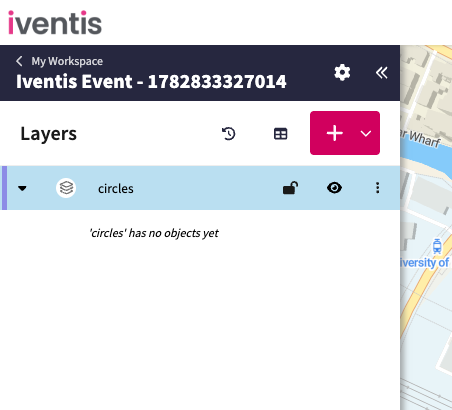
### Step 1: Select an area layer
Select the layer where you want to draw the circle. This activates drawing mode.
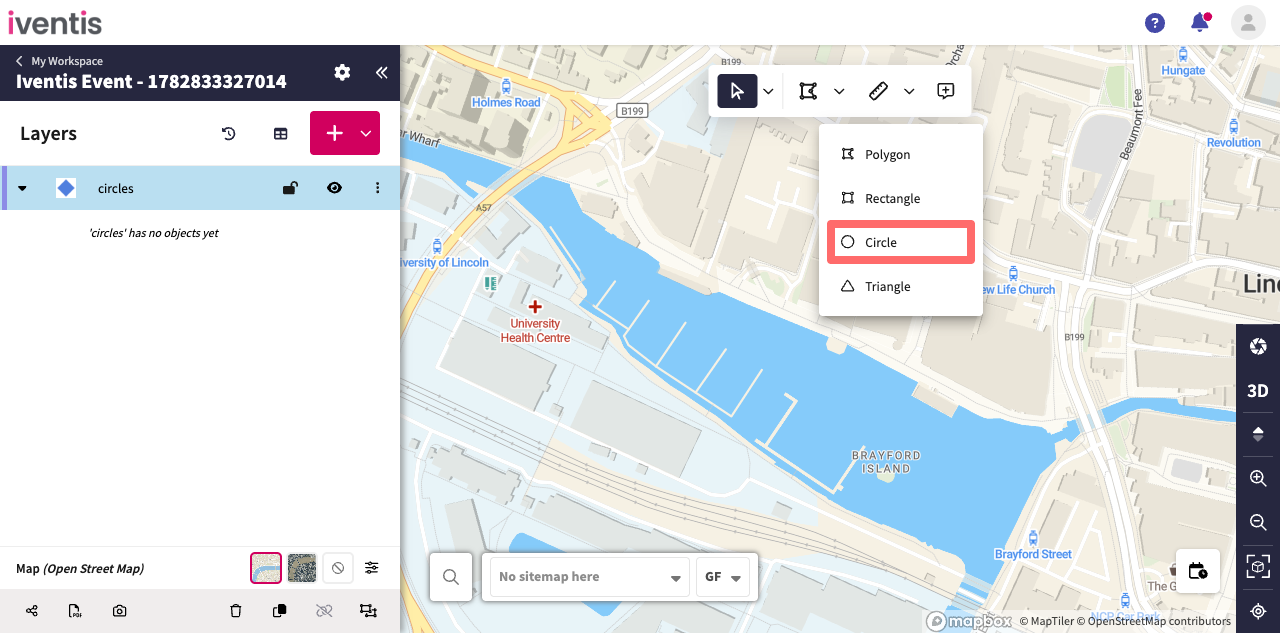
### Step 2: Select the circle tool
Open the dropdown next to the polygon drawing tool and select Circle.
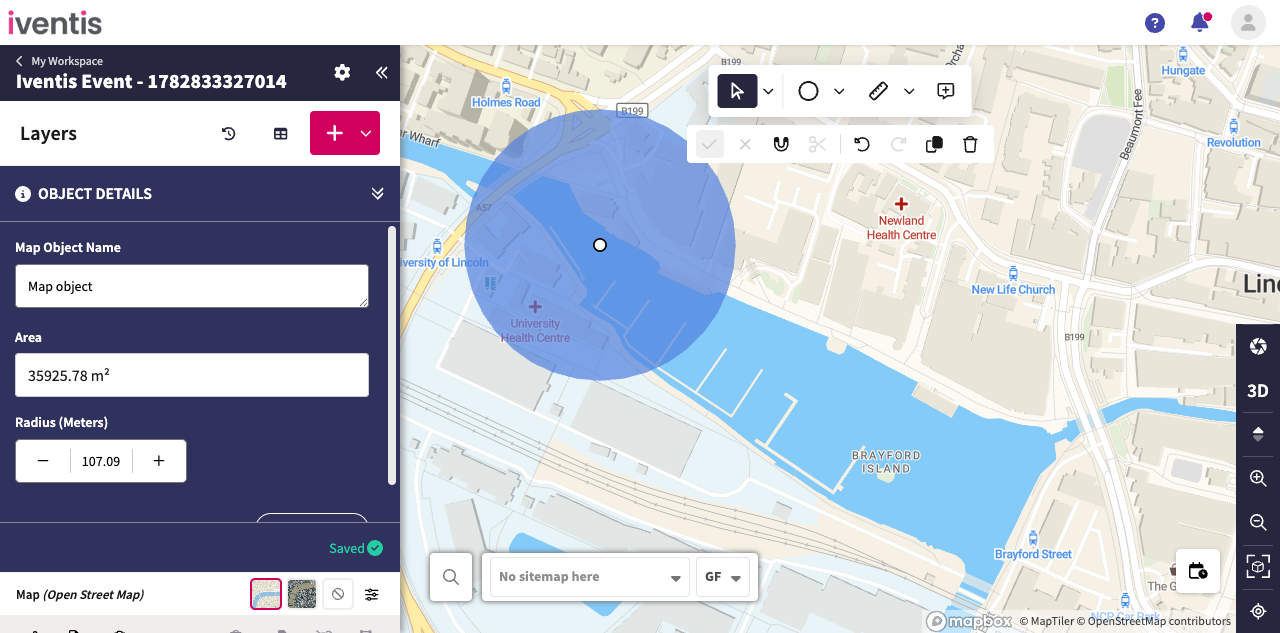
### Step 3: Draw the circle
Click the centre point, move the pointer outwards, then click again to set the circle's size.
- [Getting started](https://support.iventis.com/getting-started?hsLang=en)
- [Using Iventis](https://support.iventis.com/using-iventis?hsLang=en#main-content)
- [Create: How to build an event site or operational plan](https://support.iventis.com/using-iventis?hsLang=en#create-how-to-build-an-event-site-or-operational-plan)
- [Share: How to share your event site and venue plans](https://support.iventis.com/using-iventis?hsLang=en#share-how-to-share-your-event-site-and-venue-plans)
- [Analysis: How to analyse costs, bill of quantities, and more!](https://support.iventis.com/using-iventis?hsLang=en#analysis-how-to-analyse-costs-bill-of-quantities-and-more)
- [3D Line Models](https://support.iventis.com/using-iventis?hsLang=en#3d-line-models)
- [Digital Twin](https://support.iventis.com/using-iventis?hsLang=en#digital-twin)
- [Tips & Tricks](https://support.iventis.com/tips-tricks?hsLang=en)
- [FAQs](https://support.iventis.com/faqs?hsLang=en#main-content)
- [Permissions](https://support.iventis.com/faqs?hsLang=en#permissions)
# Iventis
Tel: + 44 (0) 203 443 9030
Copyright © 2026, Iventis