![Iventis_Pos_CMYK-1.jpg]](https://support.iventis.com/hs-fs/hubfs/Iventis_Pos_CMYK-1.jpg?height=50&name=Iventis_Pos_CMYK-1.jpg)
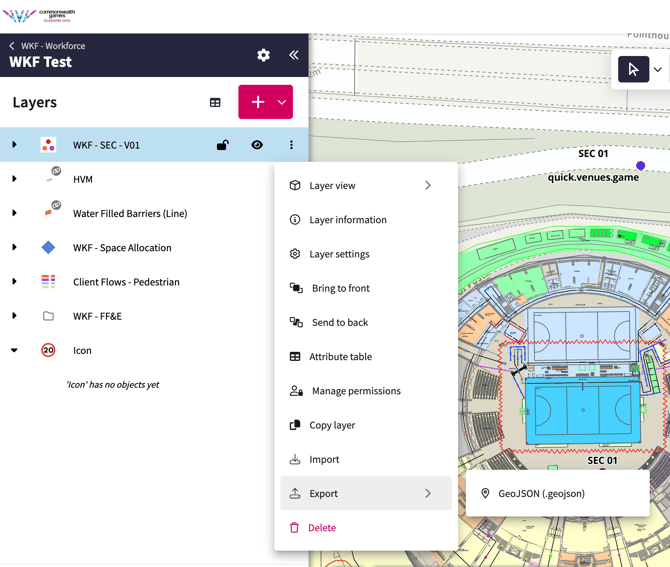
- Select the layer you would like to export
- Click in the layer menu option (three dots) next to the layer
- Scroll down and select Export
- Export your data in GeoJSON
- The GeoJSON data can then be converted using online conversion tools such as :https://mapshaper.org/