![Iventis_Pos_CMYK-1.jpg]](https://support.iventis.com/hs-fs/hubfs/Iventis_Pos_CMYK-1.jpg?height=50&name=Iventis_Pos_CMYK-1.jpg)
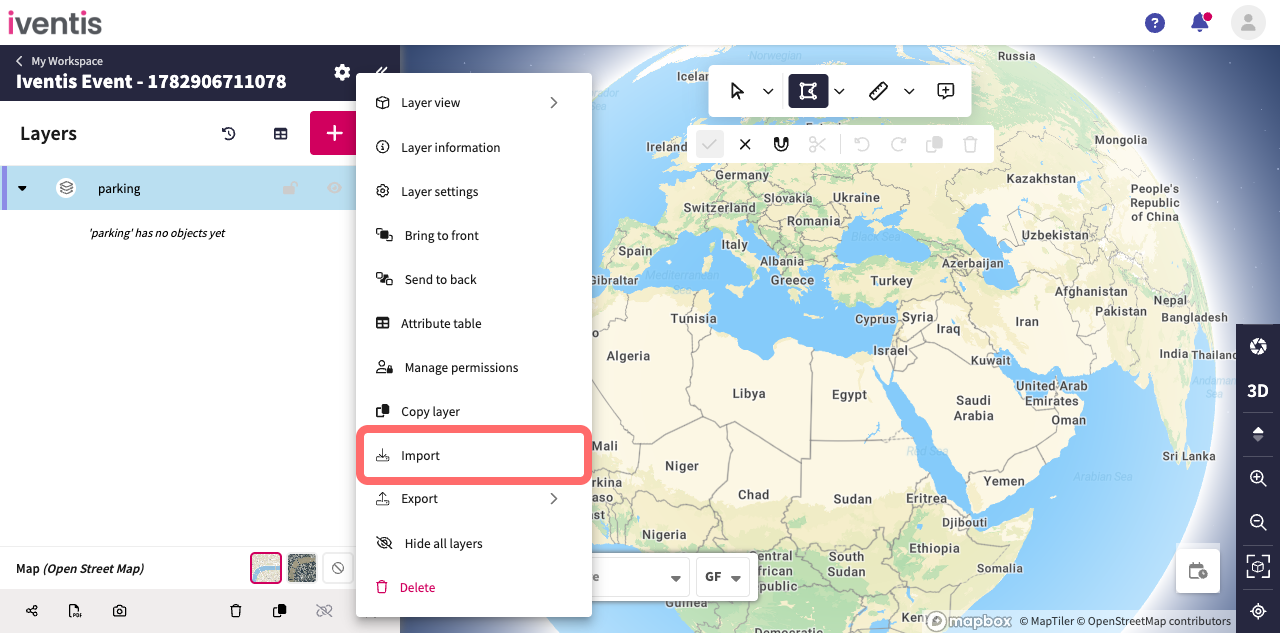
Step 1: Select Import
Open the layer's context menu and select Import
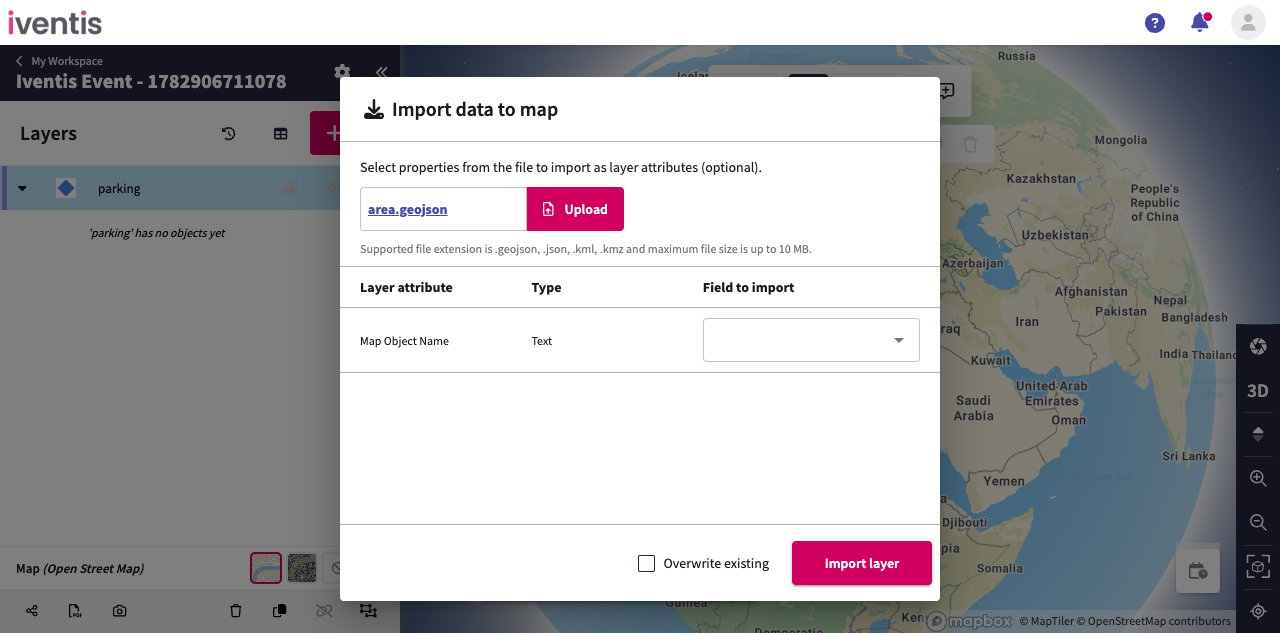
Step 2: Select a GeoJSON file
Choose a valid GeoJSON file for the selected layer.
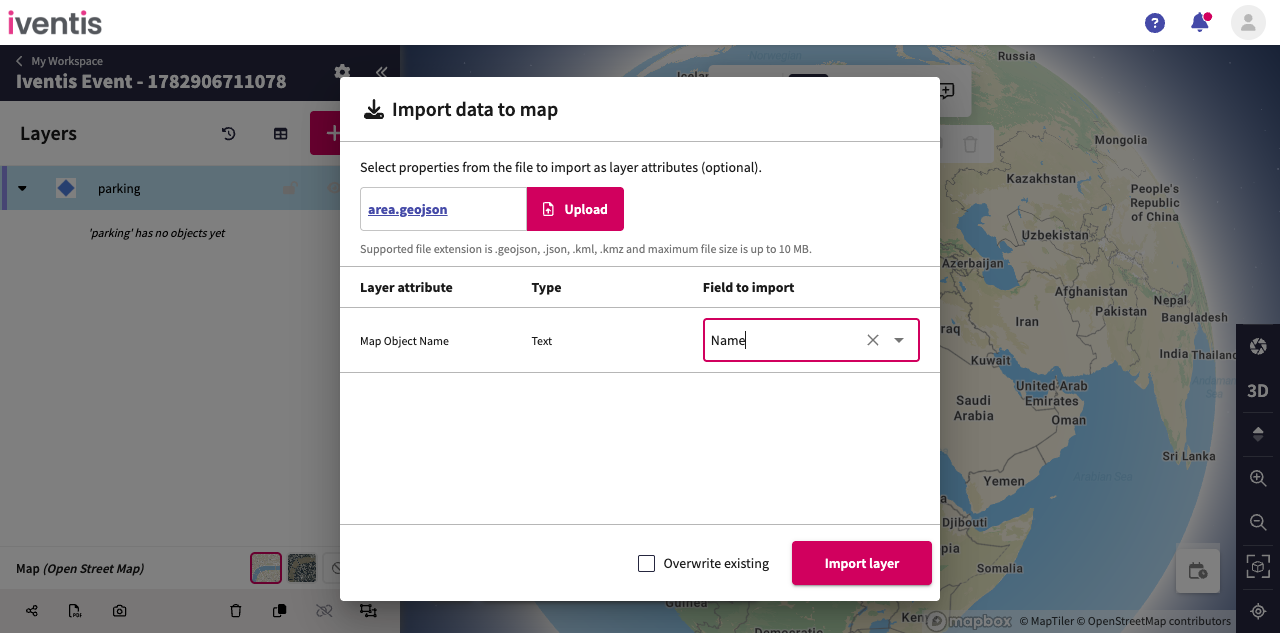
Step 3: Map the GeoJSON properties
Optionally match each layer attribute to a property in the GeoJSON file.
Step 4: Import the map objects
Select Import to add the GeoJSON map objects to the layer. Optionally overwrite existing map objects with the same name.